Real World Impact
/
Data Audit & Data Management
De-duplicate your CRM contacts and reveal the underlying patterns causing it.
Prompt
Interpret
~ 1.5 mins
Plan
Review
~ 2 mins
Approve
Verify
~ 1 min
Execute
Compose
~ 4 mins
Present

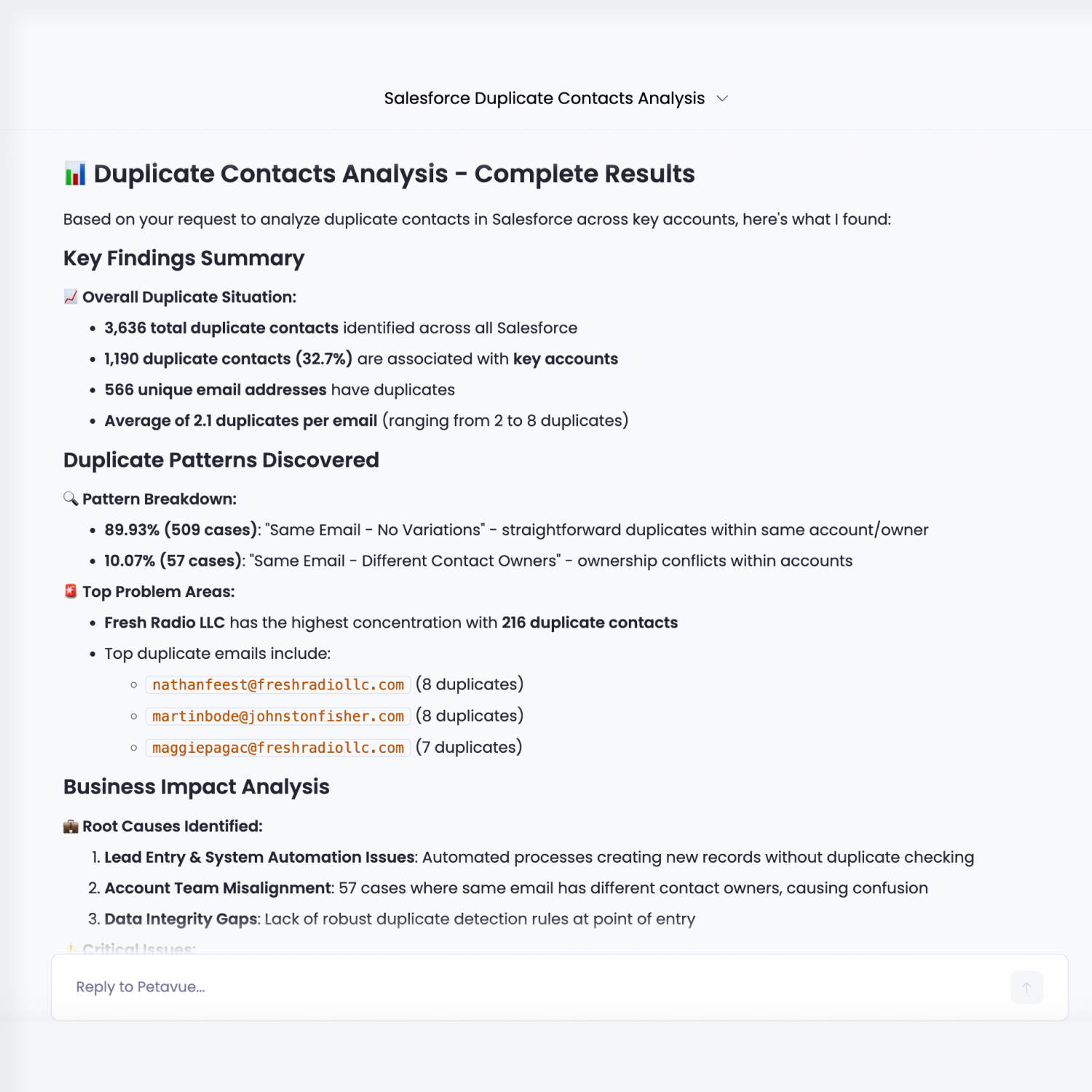
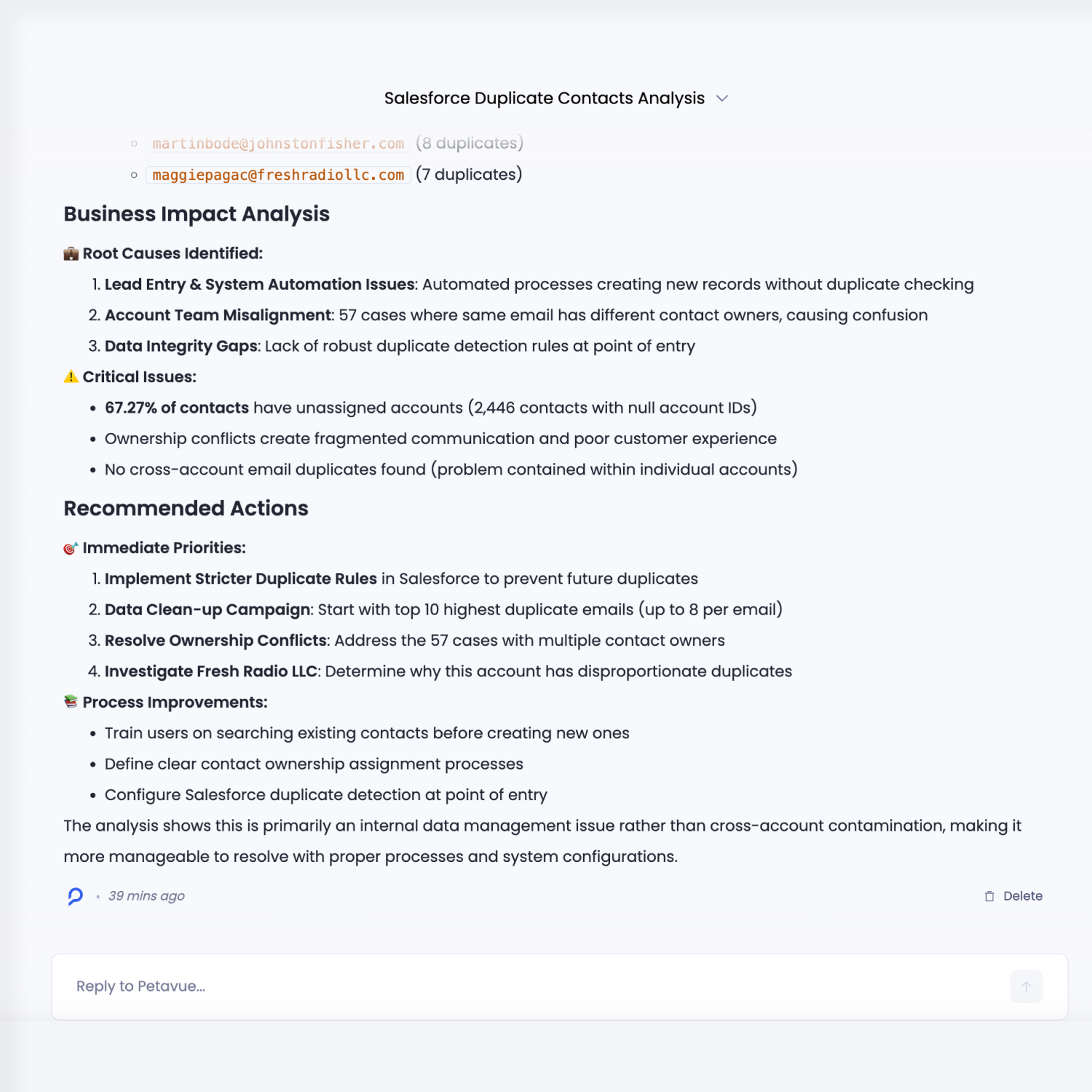
Analyzed 162,380 contacts to identify duplicate records and pinpoint duplication patterns across key accounts and owners.

DATA SOURCE
Salesforce Logo
Salesforce
Hubspot Logo
HubSpot
CATEGORY
RevOps
COMPLEXITY
Advanced
ANALYSIS TIME
Manual:
~2.5 hrs
Petavue
~14 mins
What this analysis delivers

This analysis gives RevOps teams a clear, inspectable view of contact duplication in Salesforce, focused on where it occurs and how it affects downstream reporting.

It evaluates your contact data to:

  • Identify contacts that appear across multiple accounts, using clearly defined matching criteria
  • Show how duplication distributes across accounts, owners, and creation paths
  • Quantify the impact on reporting, including inflated counts and conflicting attribution

Results are presented as grouped tables and breakdowns that make concentration and overlap immediately visible.

How the analysis runs
Blue circle
Prompt

Uncover the Right Questions

The analysis begins with a concrete business question around contact duplication in Salesforce. Petavue understands the goal of the analysis by identifying the goal of the prompt:

  • Surface where Salesforce contact data creates risk in key accounts by showing how duplicate contacts fragment relationships, ownership, and account-level visibility.
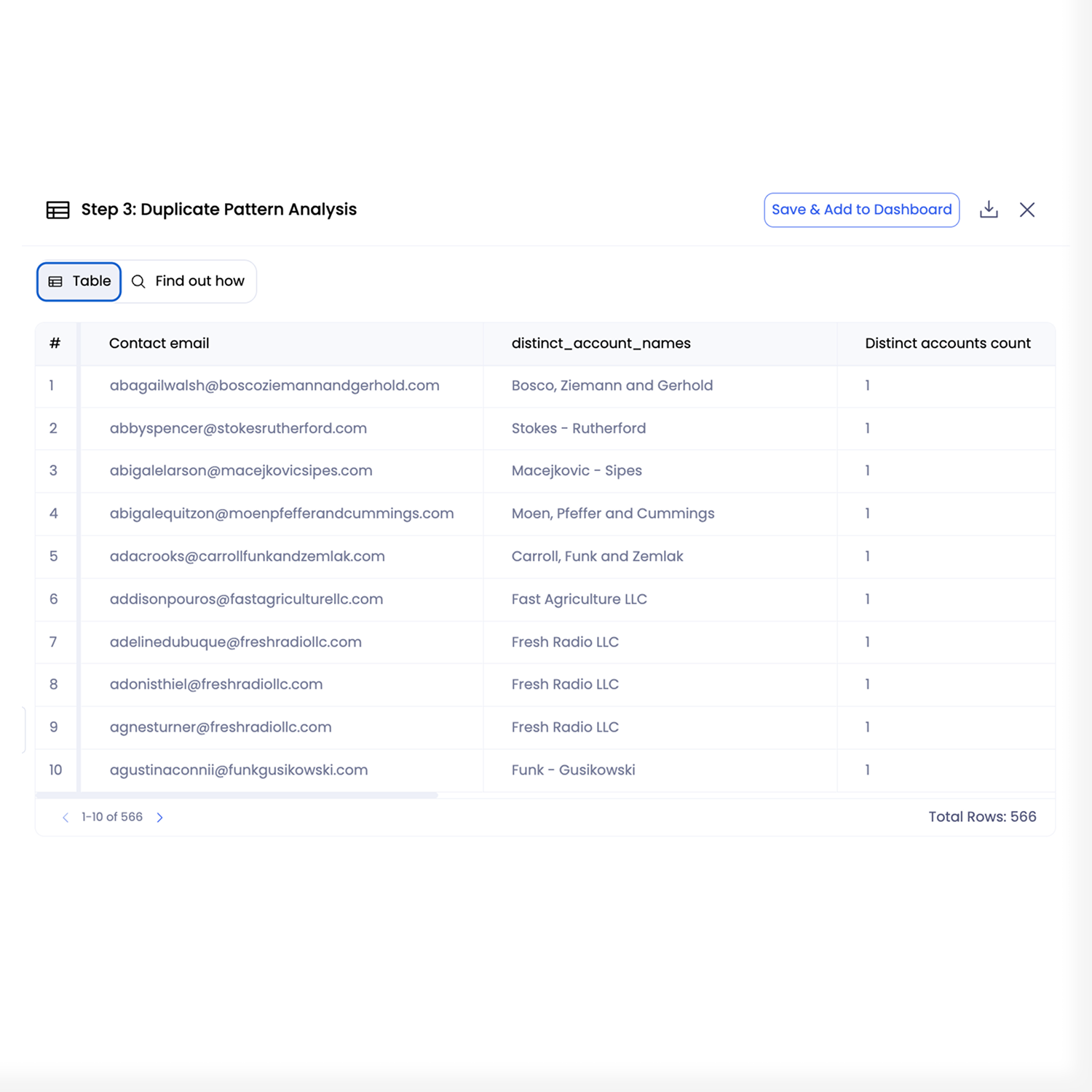
  • Reveal the underlying patterns that create duplicates by mapping how emails, accounts, and owners intersect and repeat across records.
  • Safeguard reporting and decision-making accuracy by identifying where duplicated contacts are already distorting engagement, attribution, and conversion analysis.
Can you find out how many dup contacts we got in salesforce, esp across key accounts? and not just count, I’d love to see if there’s a pattern (same email, diff accounts, diff owners etc).
Interpret
~ 1.5 mins
Plan

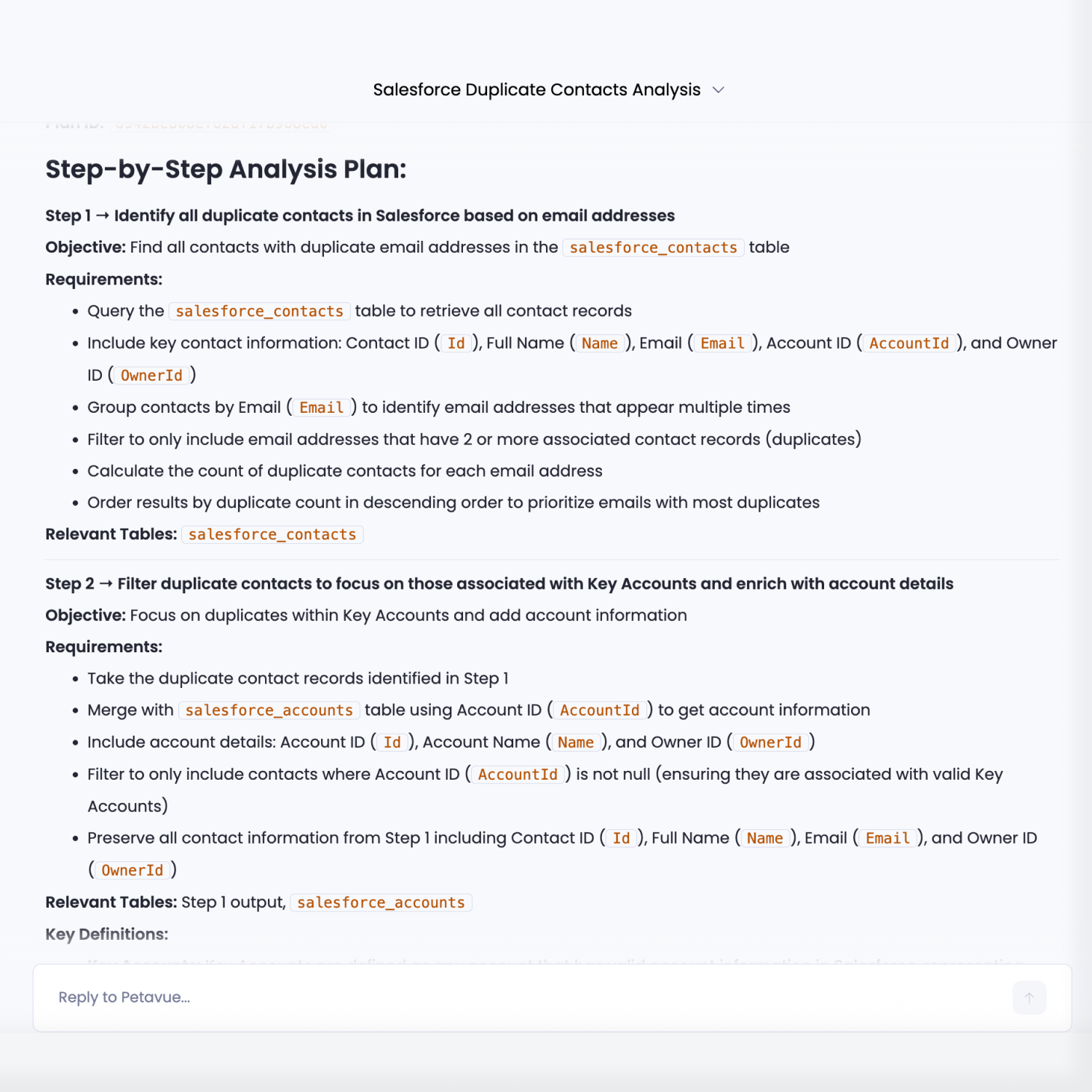
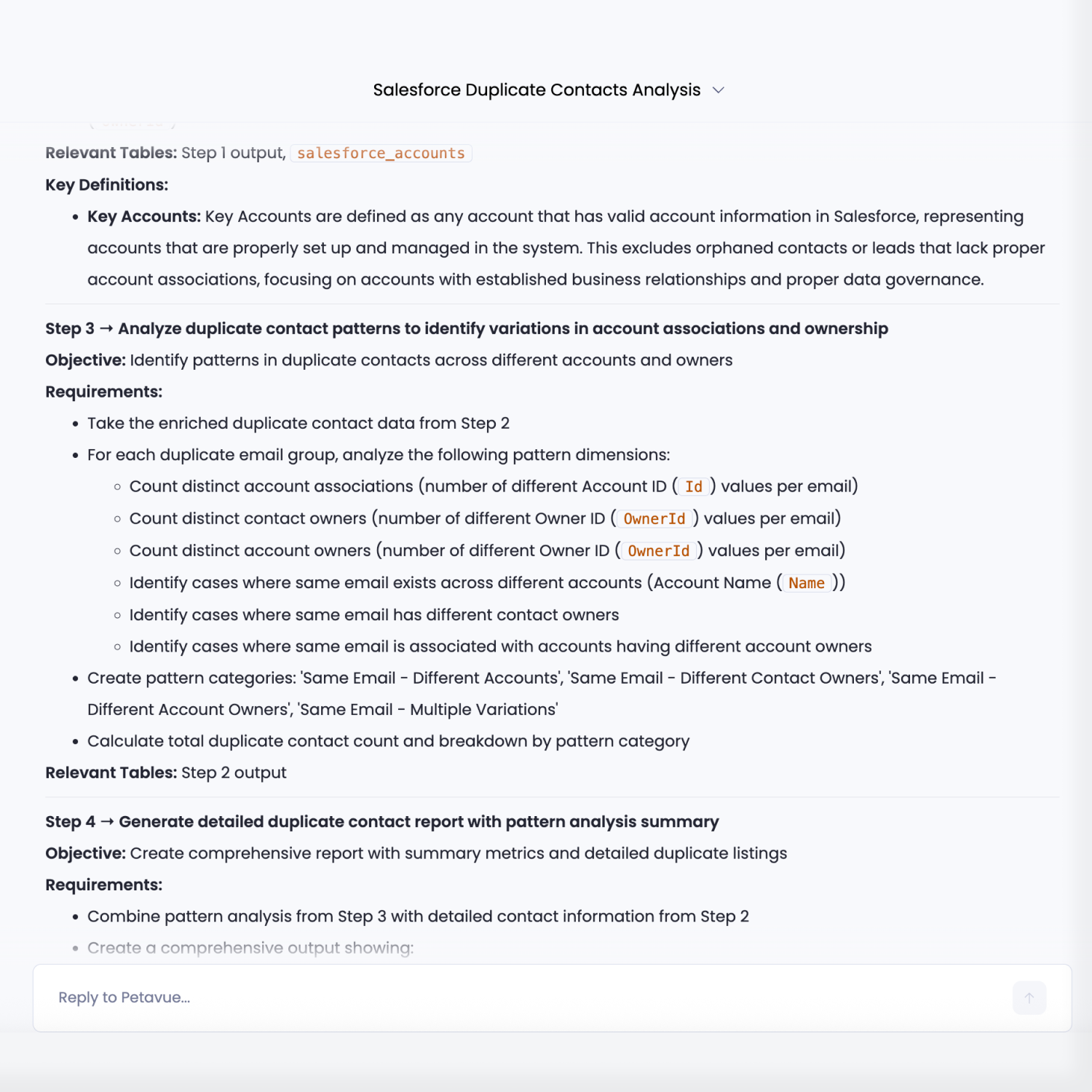
Craft the Plan

Petavue generates a detailed, step-by-step analysis plan that is visible before execution. The plan explicitly shows:

  • Which Salesforce objects and tables are used (for example, Contacts and Accounts)
  • The fields used for duplicate matching, such as email address
  • How contacts are grouped across accounts and owners
  • The aggregations and breakdowns that will be produced in the final output

This plan acts as a blueprint for the analysis and reflects exactly how results will be computed and presented.

Review
~ 2 mins
Approve

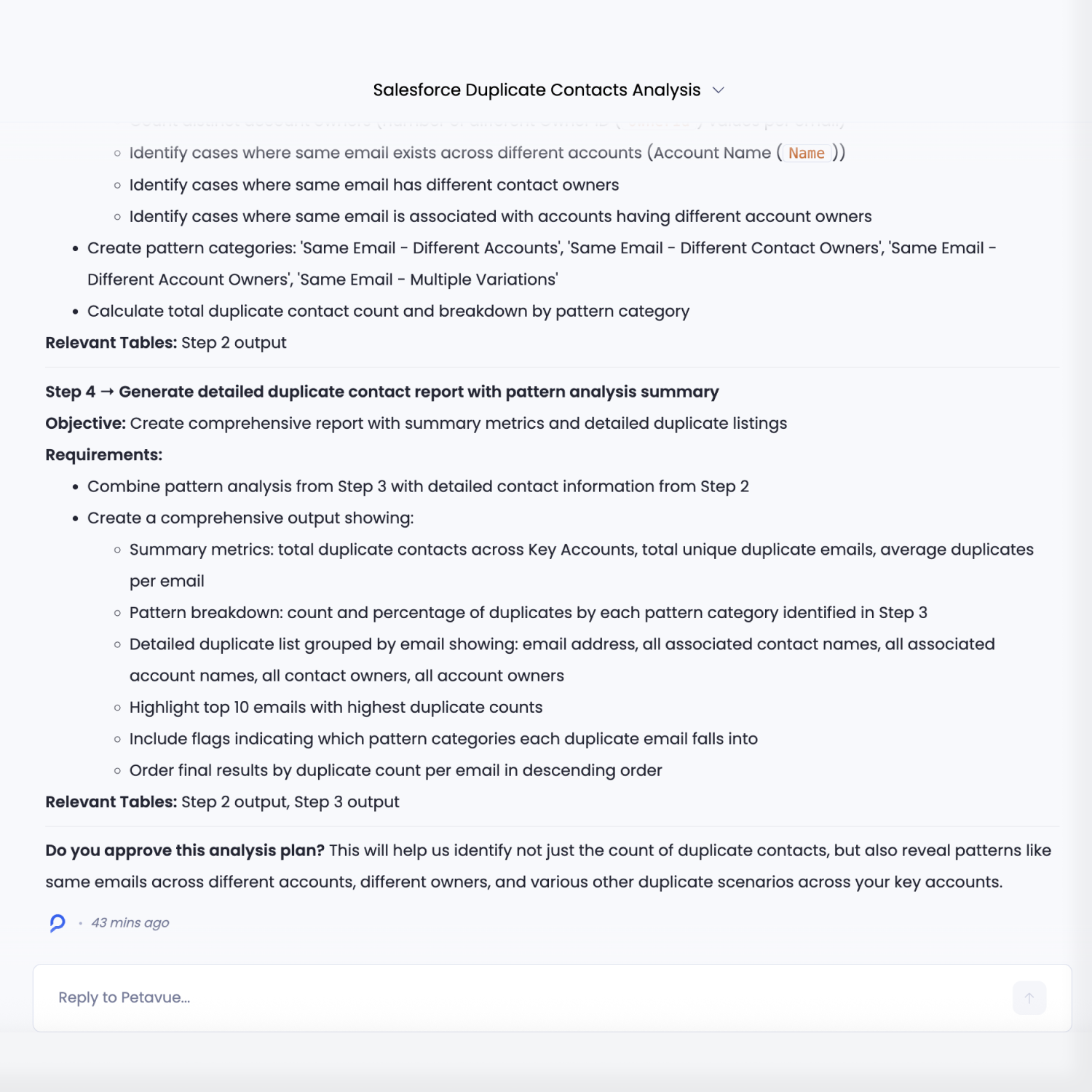
Confirm the Approach

Before execution, the user reviews the full analysis plan displayed to ensure it reflects how your Salesforce data actually works in practice.

This review focuses on:

  • The duplicate matching criteria and any assumptions built into it
  • Group-by logic across accounts, owners, or other dimensions
  • Filters, inclusions, and exclusions that affect scope
  • The structure of the final outputs that will be generated

If any part of the plan doesn’t align with the CRM setup or operational reality, the user can modify it directly and approve the analysis only once the logic matches your expectations.

Verify
~ 1 min
Execute

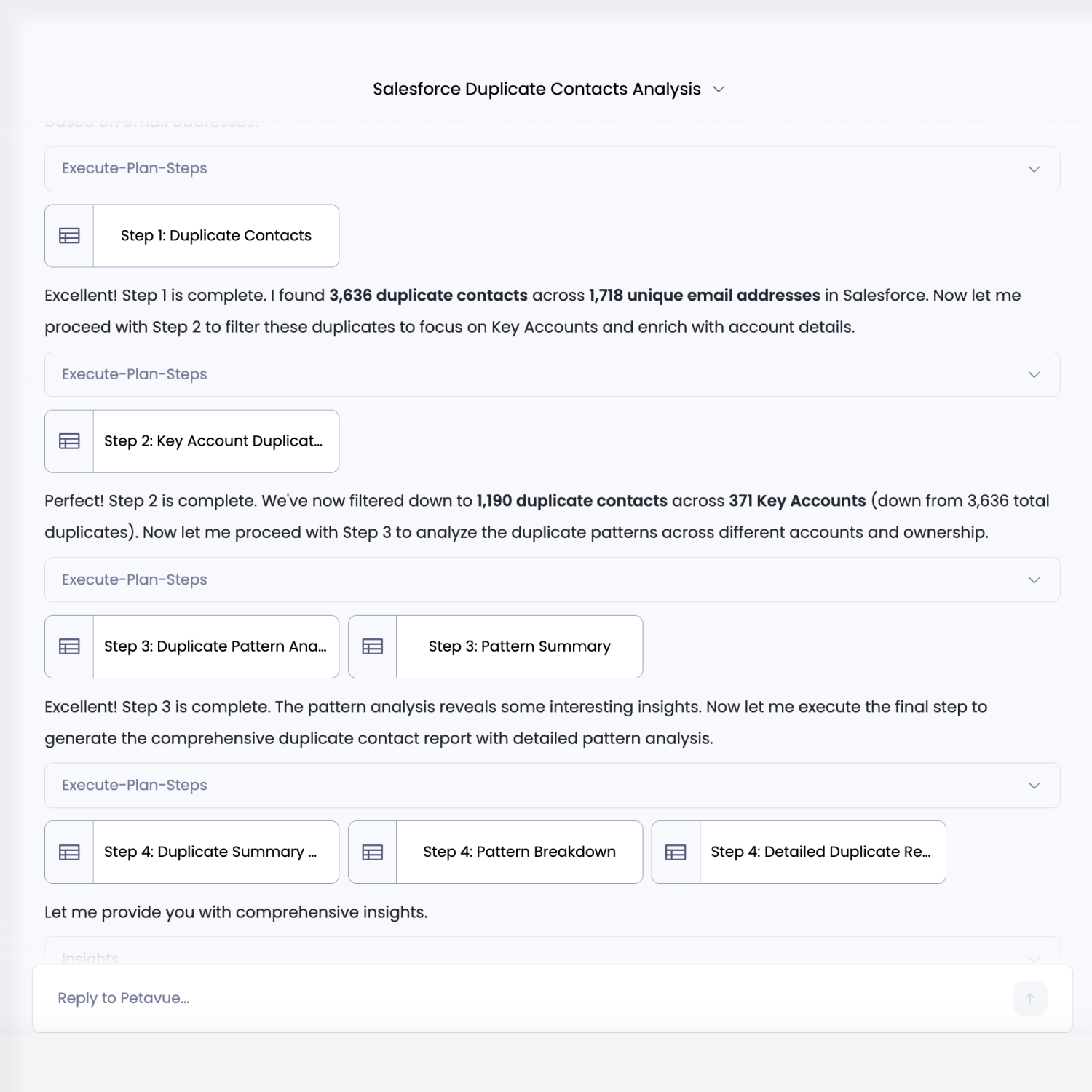
Ensure Accurate Execution

Once approved, the analysis executes step by step exactly as defined in the plan.

During execution:

  • Each step is run by Petavue’s execution and verification agents
  • Joins, filters, and aggregations are validated as they are applied
  • Intermediate outputs are produced and checked before moving forward

This ensures that calculations remain consistent with the approved logic and that results are traceable and verifiable at every stage of execution.

Compose
~ 4 mins
Present

Surface the Insights

After execution, the results are presented in a form that is ready for review and communication.

The outputs include:

  • Structured tables and dimensional breakdowns that mirror the approved plan
  • Duplicate counts by account, owner, and other defined dimensions
  • Direct links from aggregates to the underlying contact records and matching criteria
  • Charts and visualizations that make patterns easier to interpret and share

You can move from high-level summaries to record-level evidence, inspect how each number was produced, and use visual outputs to present findings with confidence.

The Outcome

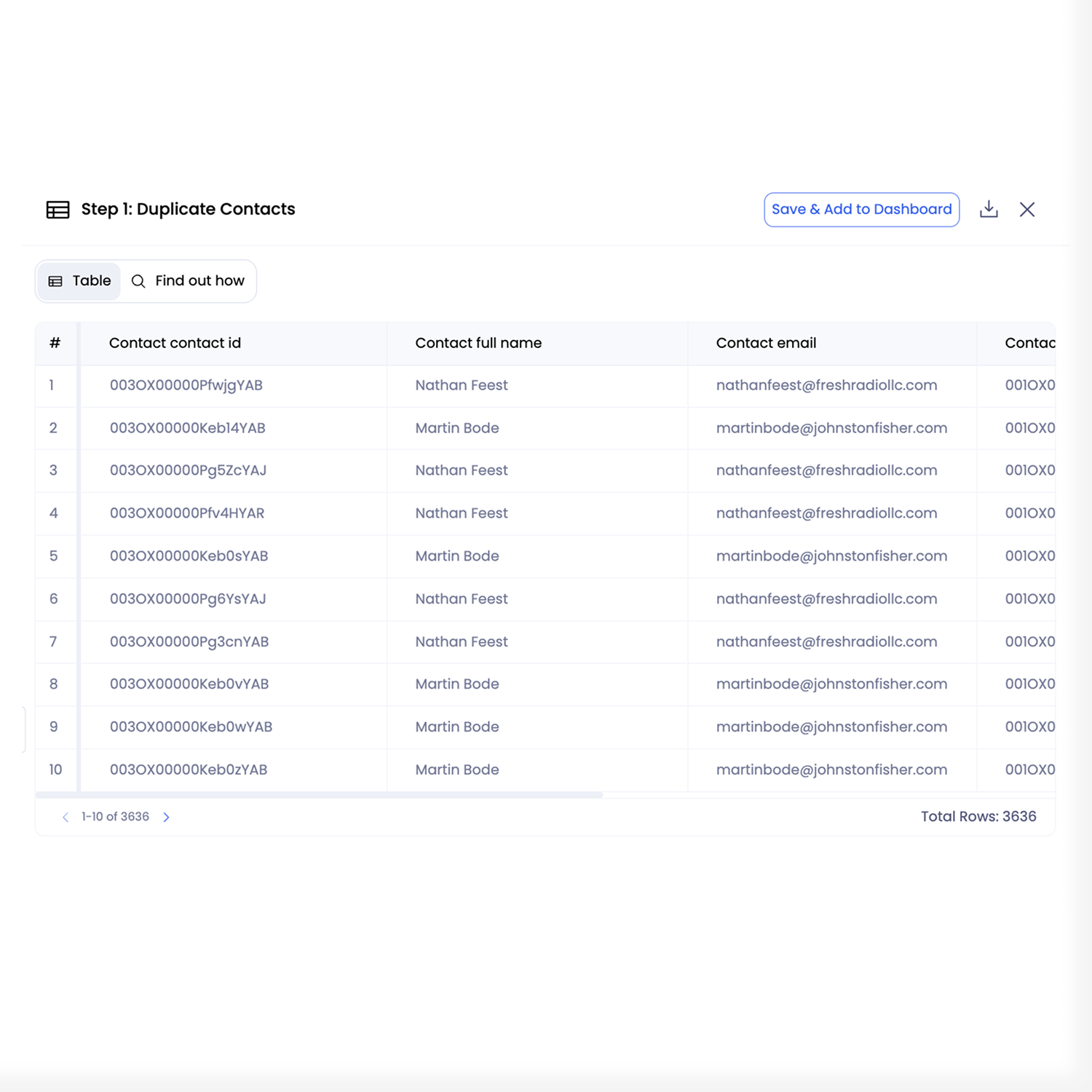
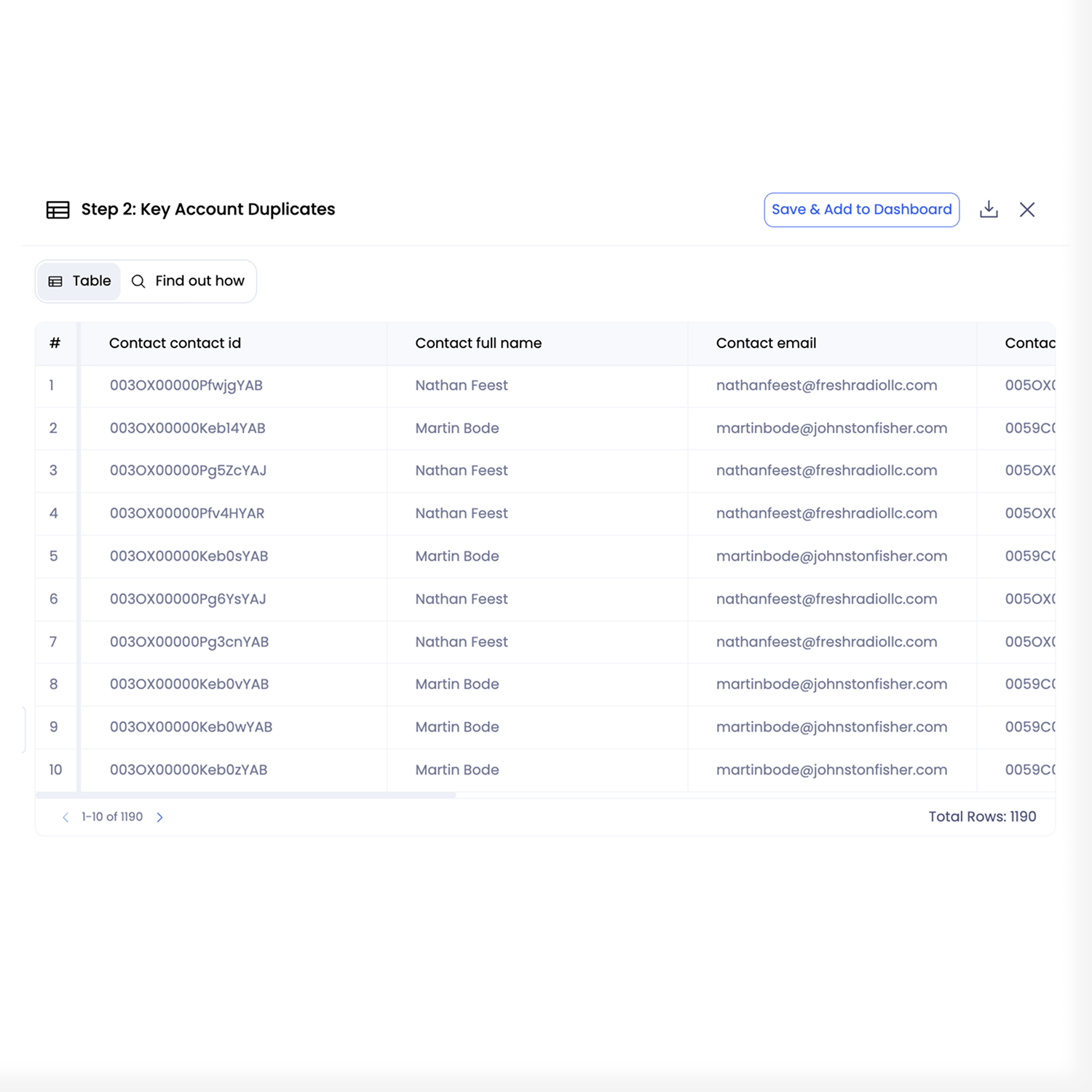
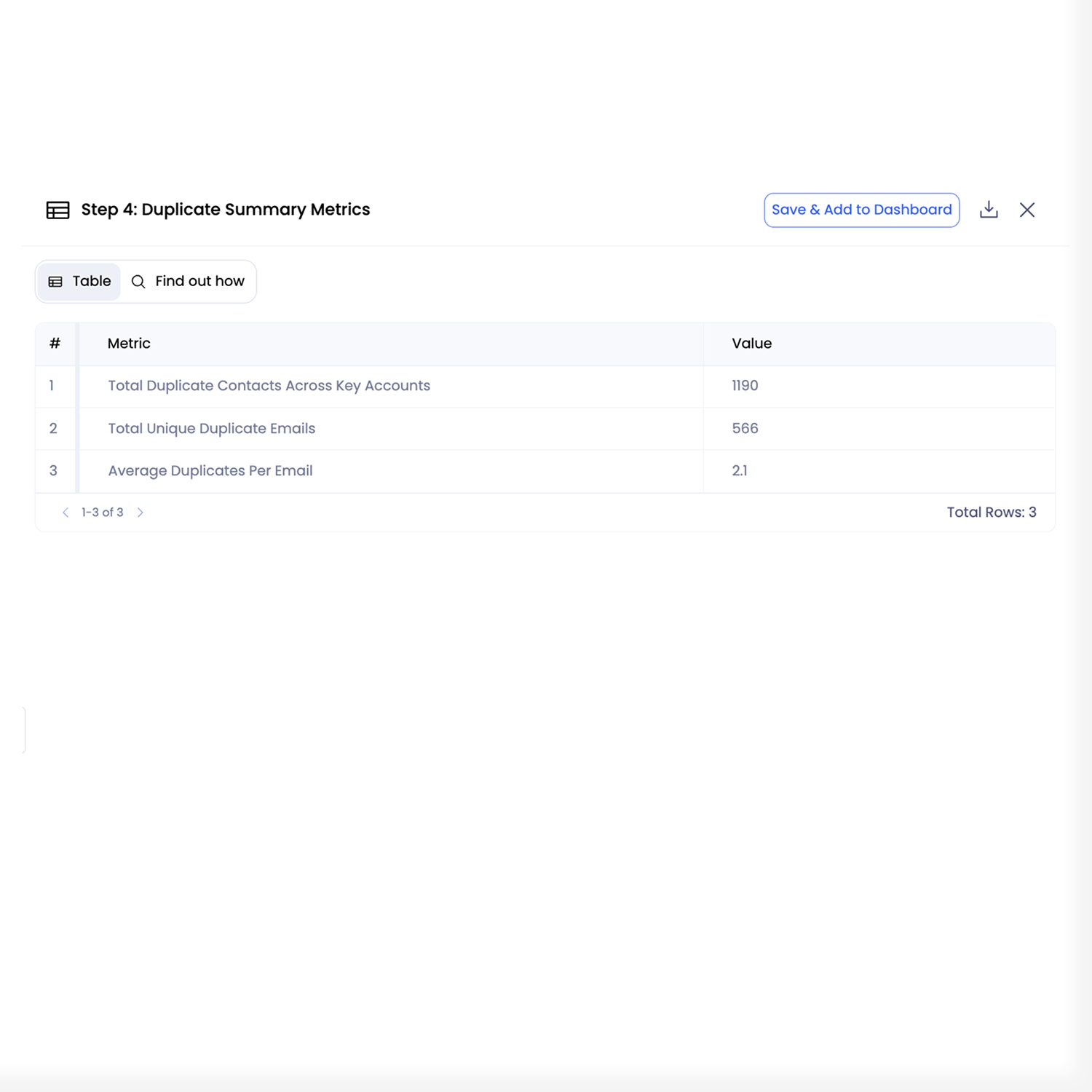
Petavue analyzed 162,380 Salesforce contact records to identify duplicate contacts, with a focused audit on key accounts.

The analysis examined how duplicate contacts appeared across accounts, ownership, and account linkage, surfacing repeatable patterns in how duplication manifests in real CRM data. The result is a clear, defensible view of where duplication exists and where investigation and prevention efforts should be prioritized.

Cross-Account Duplication

Identified duplicate contacts where the same email address appears across multiple key accounts, highlighting overlap that can distort account-level reporting.

Ownership Conflicts

Surfaced contacts owned by different reps across accounts, creating visibility into potential routing, attribution, and outreach conflicts.

Duplication Patterns

Observed consistent duplication patterns associated with manual entry, third-party imports, and inconsistent account linkage in Salesforce.

FAQs

For any further questions, send us a message at support@petavue.com
How does Petavue identify duplicate contacts?
Petavue uses explicit matching logic defined in the analysis plan, such as shared email addresses and account associations. You can review and adjust this logic before execution.
Is this the same as Salesforce’s native duplicate rules?
No. Salesforce duplicate rules are enforcement mechanisms. This analysis evaluates how duplication appears in your data and where it concentrates, providing diagnostic visibility rather than automatic remediation.
Can I inspect the results at the record level?
Yes. All aggregates and summaries link back to the underlying contact records and matching criteria used in the analysis.
Does this analysis modify or merge records in Salesforce?
No. The analysis is read-only. It does not change, merge, or delete any CRM data.
Can this run on my live Salesforce instance?
Yes. The same analysis can be executed on live Salesforce data using your connected CRM, with the same review and approval workflow.